
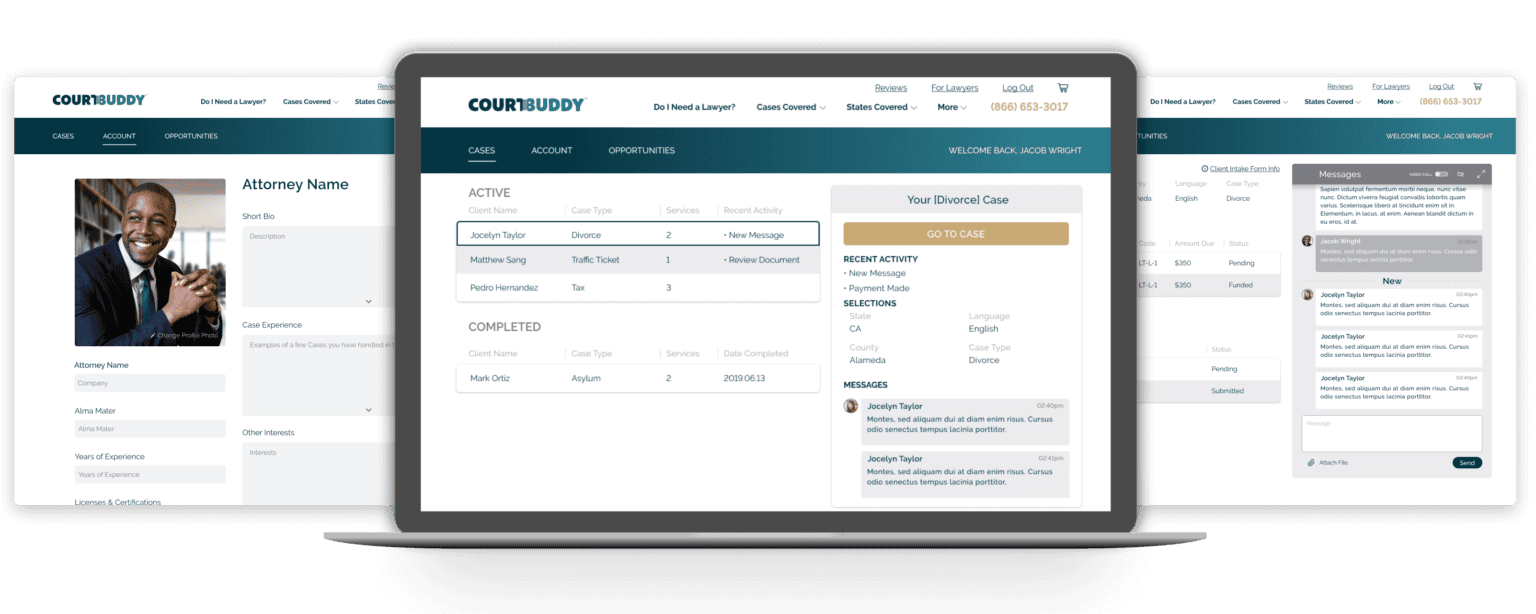
Court Buddy is a legal tech platform that matches paying clients to prescreened and certified attorneys on our platform. Attorneys are then able to perform services for flat fees. Some of the other resources provided by Court Buddy is a management and communication service for both types of users (Clients & Attorneys) to collaborate.
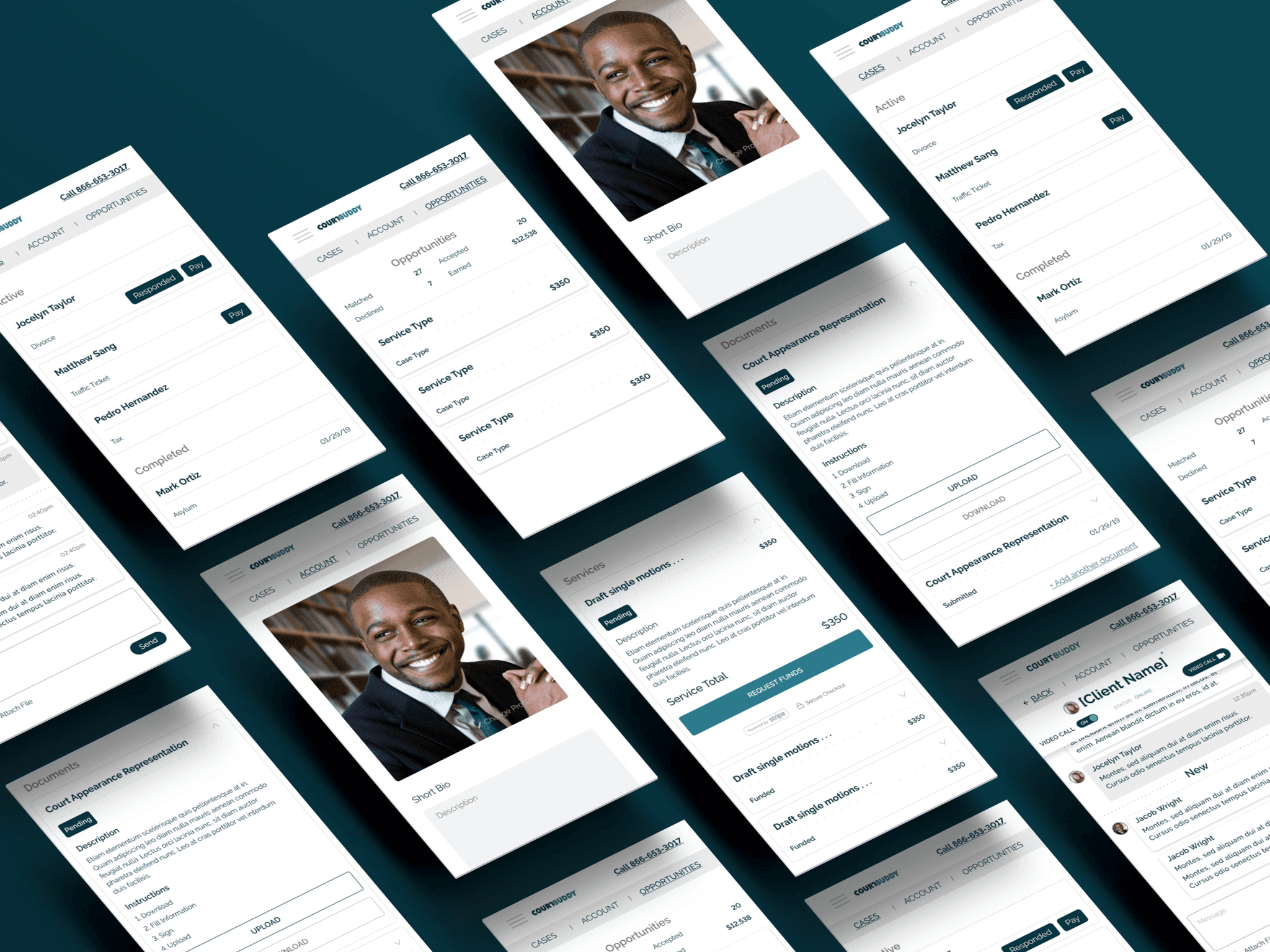
State of Previous Dashboard
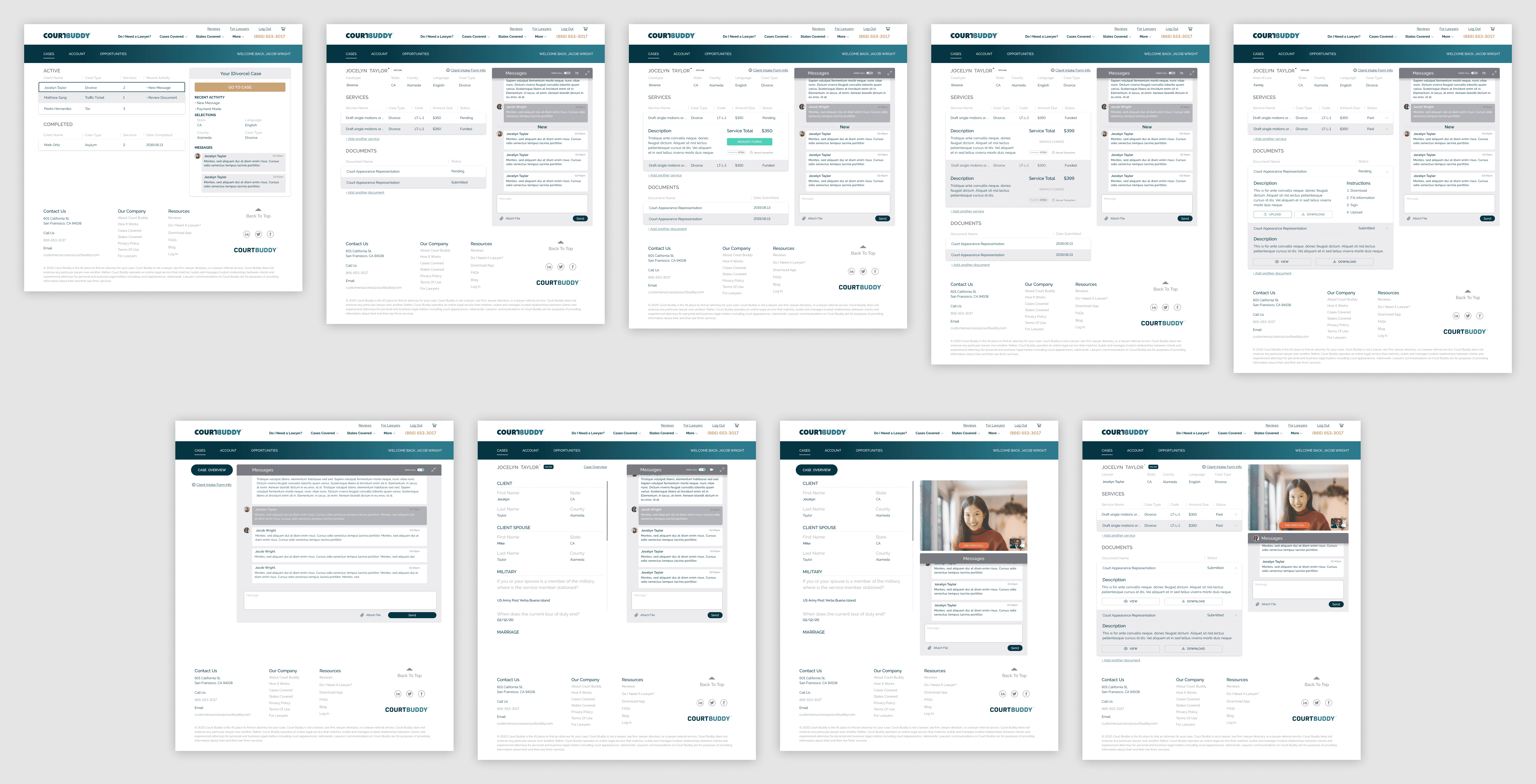
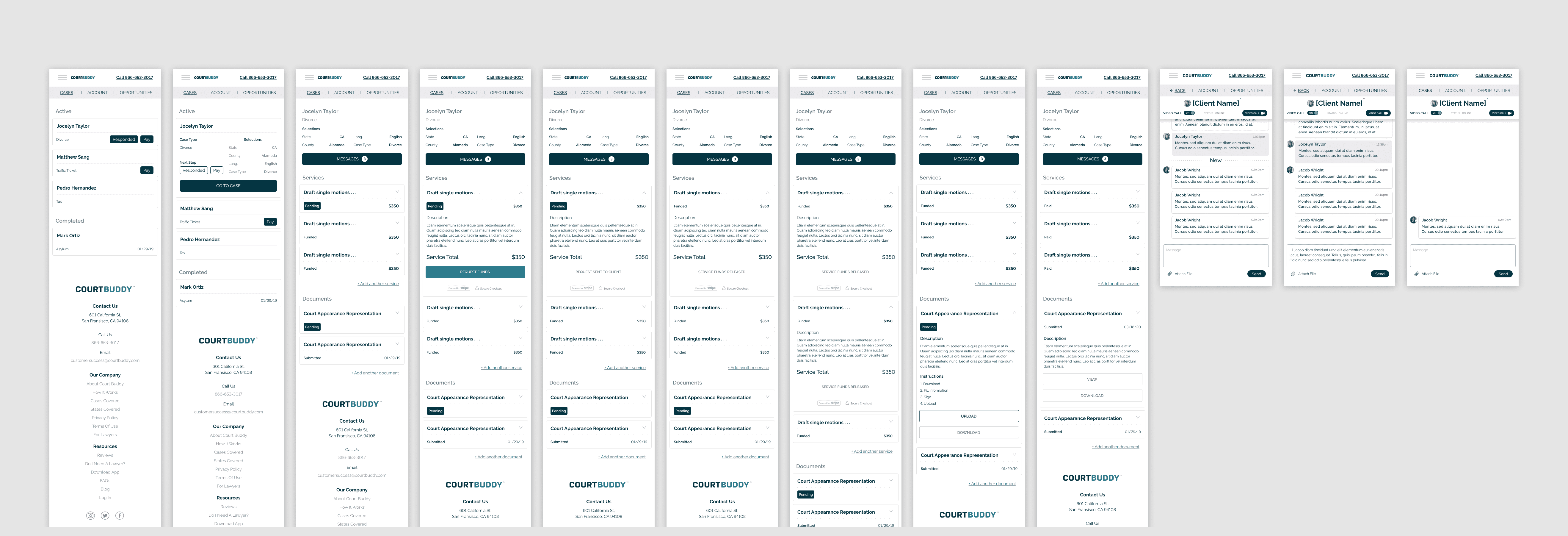
The dashboard created previously was bare bones and hard to navigate, especially on the mobile version. It was very confusing and had a bad user experience because the UI made some users have to go back and forth on some pages of the dashboard in order to complete actions. The first phase of cleaning up the dashboard was to contain the fires the previous dashboard created. Phase two was to build out a more effective dashboard that would help clients and attorneys complete the services on the platform.
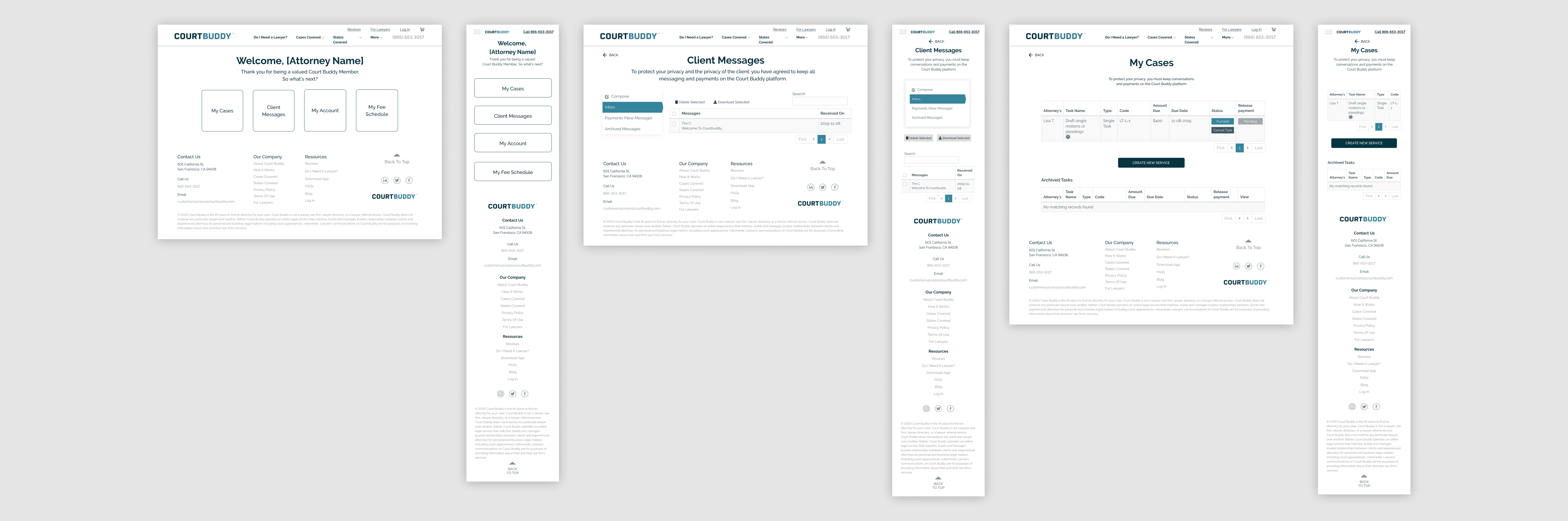
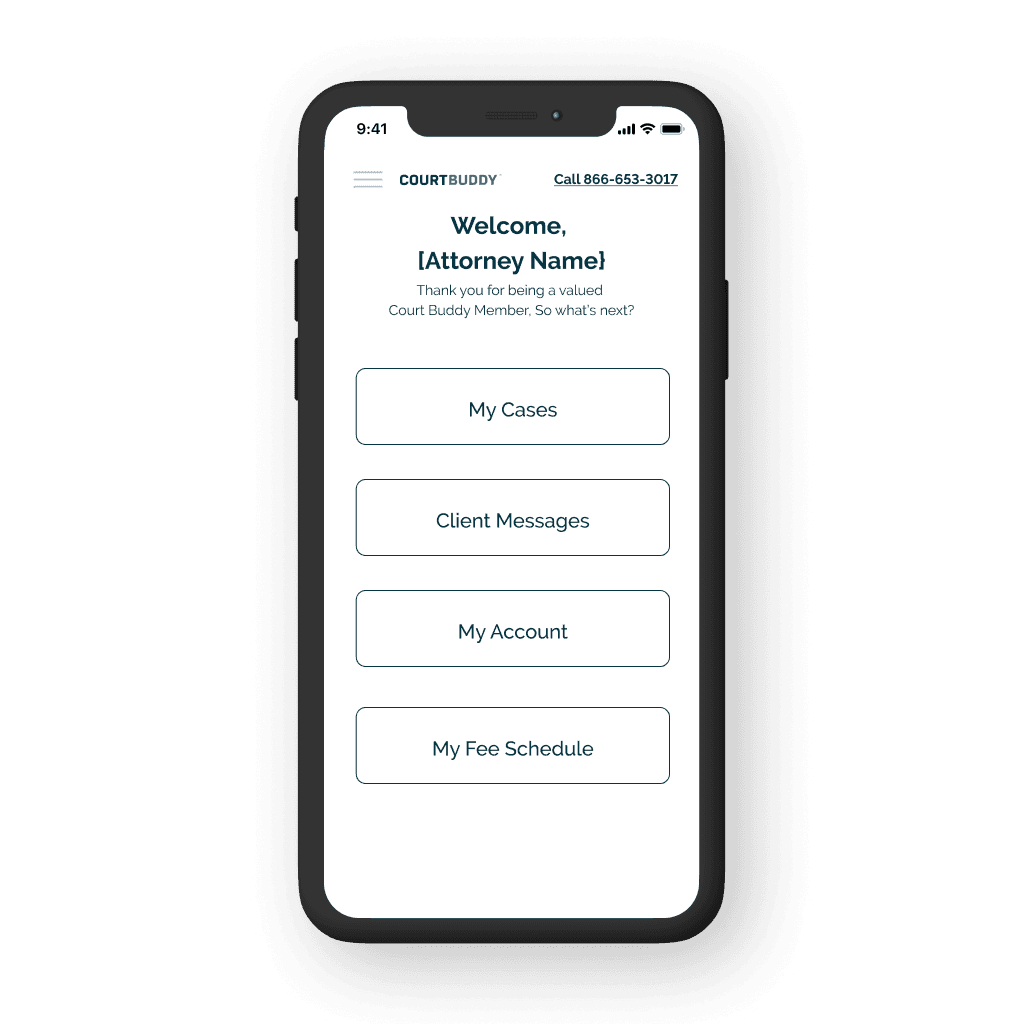
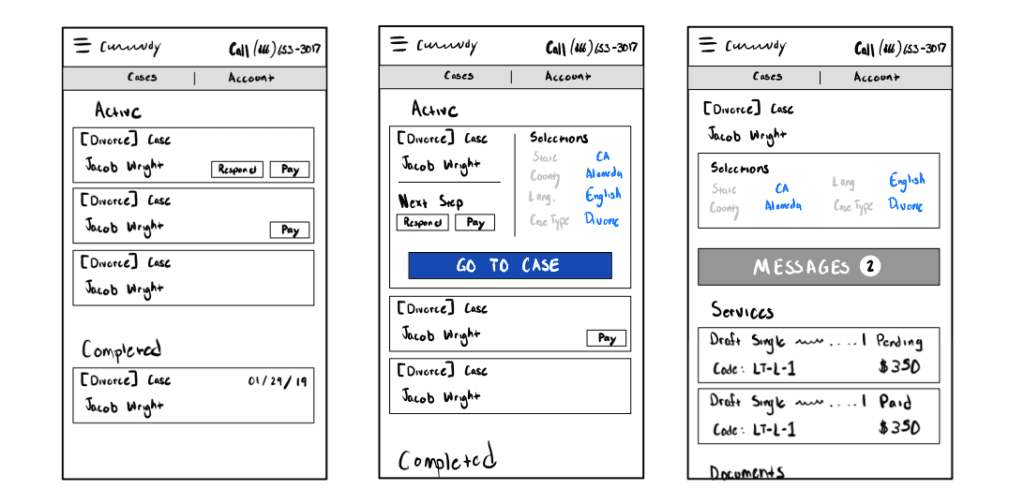
New Design Wireframes
Iterations
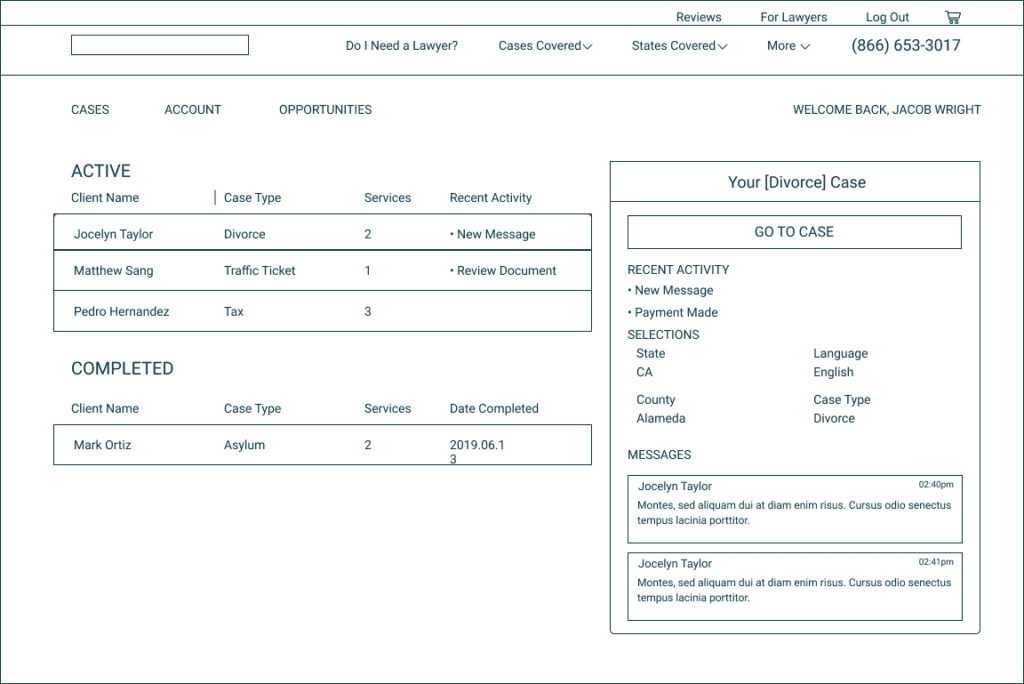
New Design Wireframes
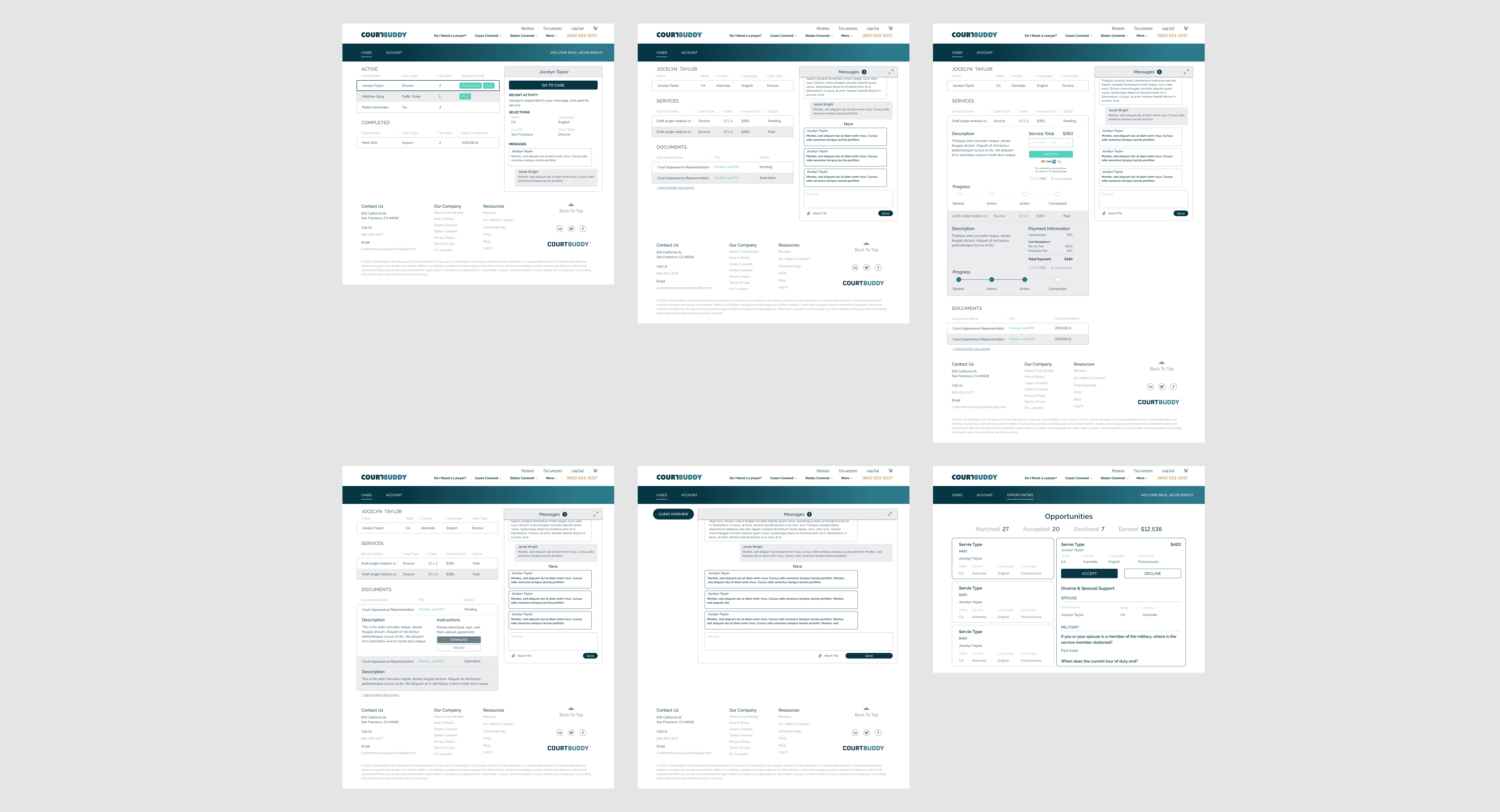
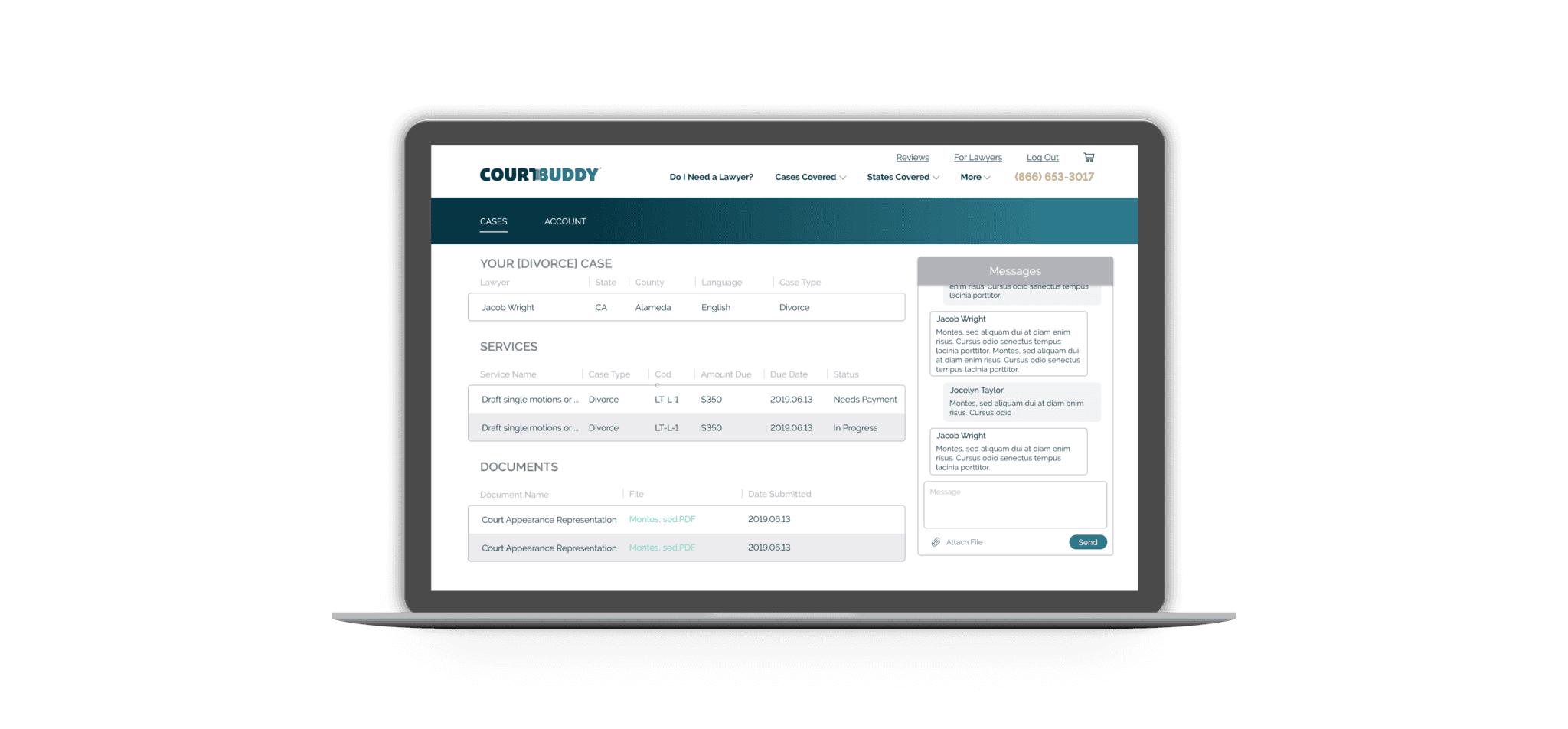
Final
Takeaways
Applying too many functionalities in the UI within containers can be distracting. Users experience decision paralysis so I made sure that I used material design strategies, spacing features, and shadows to provide a visual hierarchy. This helped me remember that simple is better and less is more.
Making dashboards for each type of user. There were two users I created dashboards for: one for attorneys and one for clients. I used the personas to guide my decision-making and help an attorney have more control and organization of each case. For the clients, their focus was case updates.
Building dashboards for a seamless user experience.
Collaborating and sharing prototypes improved my design. I enjoyed the design freedom I was able to have, but cross-collaboration and continuous feedback gave me the confidence that my designs were meeting set expectations.